
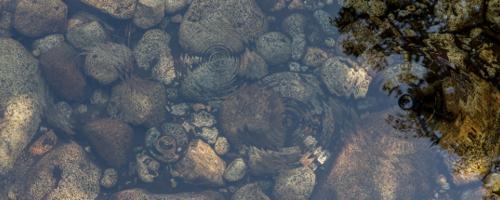
Circular Ripples: Create a Water Effect in Photoshop
There are different ways to add ripples to an image in Photoshop. You can use displacement maps, make them by hand or just use some of the native Photoshop filters (spoiler, not the Ripple or the Wave filters). But what if you want to add a single ripple effect in an ex...Read more

How to Put Anything on a Shirt Texture Background
We've shown you how to create an editable t-shirt mockup in Photoshop. Today, we've got a slightly different method: how to put anything in a shirt texture background. Of course there are different ways to achieve a great looking end result, but this one is simple, effe...Read more

Top 11 Free & Premium Bootstrap Dashboards of 2019
These free and premium Bootstrap dashboards will make handling administrative details easier than ever....Read more

Create an Editable White T-Shirt Mockup
Mockups are a great way to show the world your designs in a realistic way even if they aren't printed/made yet. With a mockup, your design will stand out from the rest while giving your client or audience a taste of how it will look once it's actually produced. Today, y...Read more

32 Crinkly Paper Textures for Photoshop
A selection of crinkly and bumpy paper textures will keep designers ready for any of their background or print needs....Read more

Create a Sparkle PNG Overlay in Just 3 Minutes
There are many different ways to make sparkles in Photoshop. Some techniques are more complex and time consuming, but that's not why we're here today. This Photoshop tutorial will get you sparkling in under three minutes. ...Read more

27 Realistic Cardboard Textures
Cardboard textures are a great way to add depth and grain consistencies to a design in a quick and easy way....Read more

18 Tank Top Mockups That Look Real
Tank top mockups allow designers to quickly add their branding, artwork, or patterns to clothing without wasting time on photoshoots....Read more