

Create a Pattern Background with Beautiful, Eye Catching Shapes
It's a newer trend — using organic shapes to make beautiful compositions for on labels, flyers, backgrounds and often as a textile or wrapping papers patterns. Making a pattern for a background is an easy task if you use the right tools, no matter the original pattern s...Read more
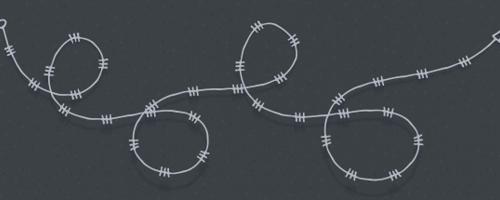
How to Make a Pattern Brush in Illustrator
It's a little harder to find Illustrator brushes compared to Photoshop brushes. But don't be fooled — when used properly they're a great design resource for hand drawn effects, shadings, and intricate designs. Pattern Brushes are one of the even more rare Illustrator b...Read more

How To Make Symmetric Live Designs in Illustrator
Here's how you can easily make symmetric designs live in Illustrator. It's a great method if you're looking to speed your workflow and see what happens on the reflected side while you are drawing on the other side (instead of wasting time selecting, grouping and flippin...Read more

How to Make a Sliced 3D Text Effect in Illustrator
In Illustrator, there are many different ways to make a sliced text effect. You can use the Pathfinder, the Knife Tool and even the Appearance Panel to slice your text, but! there's a faster and more precise way. The lesser known method involves the Shape Builder Tool. ...Read more

How to Easily Copy a Color Grade From Any Image in Photoshop
Changing the Color Grading of an image is a great way to change the mood of it, and in Photoshop there are a ton of ways to do that. You can make it from scratch, using Gradient Maps, matching colors, using third party plugins and many more. Today, I'll show you how you...Read more

How To Add a Vintage Look To Your Own Handwritten Text
Make your own handwritten text look vintage! Great for logos, badges, or over any other design. Today, you will learn how easy is to make your own handwritten text looks like a vintage one in less than 10 minutes and have it in a vector format so you can freely scale it...Read more

How to Easily Make a Dark & Moody Color Tone in Photoshop
In the past few months I'm sure you've seen the rise of social media posts (as well stock images) with dark and moody tones. If you're wondering how to make your images look like these ones, then this tutorial is for you! In Photoshop there are a ton of ways to get this...Read more

How to Use a Grass Brush in Photoshop to Make an Image More Appealing
Sometimes, when you want to make an outdoor photo really shine, you can find yourself with a few challenges to overcome like the light source, shadows, focus point, etc. Sometimes you can just wait for the weather to change to fix these issues, but other things are lock...Read more