

Quick Tip: How to Create Custom Illustrator Art Brushes Using Real World Media
This quick tip will show you step by step how to create a a custom illustrator art brush using real world media from paper to Illustrator. This can of course be done with any type of media such as fine tip pens, pencil scribbles and anything else that leaves a mark on p...Read more

Quick Tip: How to Use the Clipping Mask in Photoshop
Using clipping masks is a very simple way to produce some really creative effects for your photos, in this quick tip we will cover how to use clipping masks in Photoshop to make an image perfect for sharing on Instagram...Read more

How to Install and Use Custom Illustrator Presets
From swatch libraries and brush packs to actions and graphic styles, this tutorial will show you two different methods for installing and using custom Illustrator presets that you have downloaded from the web or created yourself....Read more

3 Simple Techniques to Create a Diffuse Shadow in Photoshop
Diffuse shadows are a type of box shadow which give the illusion of more depth than a regular drop shadow. This effect is achieved by making the shadow smaller than the source object and offsetting it in the direction of a light source. This tutorial will cover 3 differ...Read more

Quick Tip: How to Rename an Existing Smart Object in Photoshop CC
Anybody who works with Photoshop regularly will have encountered Smart Objects, they are a great way to create dynamic elements which automatically apply changes to all instances of the same object, and allow you to apply transformations and filters non-destructively to...Read more

Quick Tip: Use Color Lookup to Create Dramatic Photo Effects with a Single Click
Color enhancements such as cross processing and various blending techniques can make a photo what it is by setting a tone and mood. While most color changes are quick and easy, they still take several clicks to accomplish. These days were all about speed and efficiency,...Read more

3 Easy Ways to Create Vector Silhouettes
Creating vector silhouettes is an easy way to add simple illustrations to your design work. Silhouettes can be achieved in several ways. In this simple tutorial, Ill show 3 different ways to creating silhouette shapes using Photoshop and Illustrator....Read more
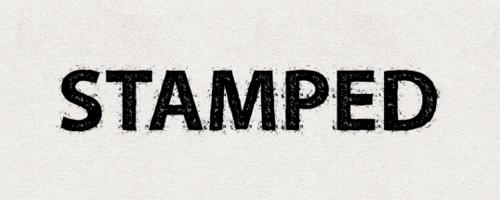
Create a Reusable Stamp Effect In Adobe Illustrator
Creating a nice grungy stamped effect in Adobe Illustrator is quick and easy when taking advantage of swatches and the appearance menu. The look can be tailored to create an endless amount of effects and then saved as Graphic Styles to use over an over again. Let's take...Read more