

How to Create a Textured Geometric Image Mask with Photoshop & Illustrator
This tutorial will teach you how to draw a geometric vector shape with Illustrator and then use layer masks in Photoshop to create a trendy/geometric geometric photo mask....Read more

How To Make A Seamless Texture in Photoshop (Redux)
For this tutorial I wanted to revisit the topic of making seamless textures in Photoshop and share with you a new, incredibly simple technique which makes the entire process much easier than before. It even works on some textures which I would have called 'un-tileable' ...Read more

Create an Easy Stitched Leather Type Effect in Photoshop
In this tutorial I'm going to demonstrate how fast and easy it is to create a realistic looking stitched leather effect in Photoshop. Let's dive right in and see how it's done....Read more

Tips for Designing and Exporting SVG Icons with Illustrator
These tips and techniques for Illustrator will help you optimize the process of designing vector icons and assist in exporting clean, simple SVG code to use on the web or in mobile apps....Read more
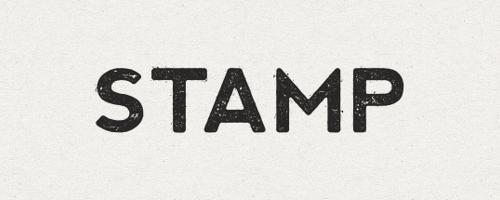
How to Create an Ink Stamp Text Effect with Illustrator CS6
This tutorial for Illustrator CS6 will teach you how to achieve an ink stamp style text effect by layering multiple fills and effects. And this effect can also be applied to vector shapes if you prefer....Read more

Create an Easy Double Exposure Portrait in Minutes
Double exposure is a cool effect that has been around for a long time. In the film camera days, it was accomplished by exposing the negative twice on two different scenes. Now this effect can be easily created and embellished using a few simple tricks in Photoshop. Belo...Read more

How to Create a Cartoon Bomb Icon with Sketch App
This tutorial will teach you the essential techniques required for creating custom icons with Sketch. And in the process you will create a cool, cartoon-style bomb icon....Read more

How to Create an Artwork Mockup with Studio Lighting in Photoshop CS6+
This tutorial for Photoshop CS6 shows you how to use Smart Objects and the new Blur Gallery effects to create an impressive, studio lighting style shadow and reflection perfect for displaying business card designs, app screenshots, album artwork and more....Read more