

by Natalie Miller
April 29, 2010
Natalie is one of the co-founders of Medialoot. She's mainly responsible for making sure the website is running smoothly, and she's probably the one who has helped you out via email too.
3 Ways to Get your Website Designs Up and Running Faster
We've all been there before. You've created a beautiful website and are really excited to make it live, but coding may not be your strong suit and you continue to bump into problems that set you back hours! There's no way around it, right? Wrong. There are a few ways you can drastically cut down on your site coding time and make your web design a reality much sooner.
1. Outsource the XHTML/CSS Slicing
This may seem like cheating, but having someone else slice your design into CSS and XHTML can save you a ton of time. Unless you're a slicing wiz, hiring a freelancer or a company to slice your design for you can also save you from frustration. Generally it's best to find someone whose specialty is slicing, because they'll be the quickest.Pros
 You don't have to slice the design yourself! You'll save at least a few hours by having someone else slice the design for you, and you can use that saved time working on a new design or project altogether.
Generally the cost of having your design sliced into CSS and XHTML is pretty reasonable (about $100/page). I would bet that the time it takes you to slice the design yourself is worth significantly more than the amount of money you would spend on having it sliced for you.
You don't have to slice the design yourself! You'll save at least a few hours by having someone else slice the design for you, and you can use that saved time working on a new design or project altogether.
Generally the cost of having your design sliced into CSS and XHTML is pretty reasonable (about $100/page). I would bet that the time it takes you to slice the design yourself is worth significantly more than the amount of money you would spend on having it sliced for you.
Cons
 You must give very specific instructions to the person/company who is slicing your design. Be sure to include active and hover styles if you want them, and specify every element you need to be styled. You also need to mention if there is a specific method or JavaScript library you want to use for any special effects. Don't forget to mention if there are certain divs that need to be expandable both horizontally and vertically.
It may take a few days for your design to be sliced unless you want to pay for rush service. How does this save you time, you may ask? If you have other projects you can design while your previous design is being sliced, you'll be able to take on more projects. In addition, if there's a JavaScript element that you're not used to implementing but know you need to use on your menu, or if you're just not strong with CSS and XHTML, it may take you more than a few days to slice the design yourself, especially if you bump into any problems.
You must give very specific instructions to the person/company who is slicing your design. Be sure to include active and hover styles if you want them, and specify every element you need to be styled. You also need to mention if there is a specific method or JavaScript library you want to use for any special effects. Don't forget to mention if there are certain divs that need to be expandable both horizontally and vertically.
It may take a few days for your design to be sliced unless you want to pay for rush service. How does this save you time, you may ask? If you have other projects you can design while your previous design is being sliced, you'll be able to take on more projects. In addition, if there's a JavaScript element that you're not used to implementing but know you need to use on your menu, or if you're just not strong with CSS and XHTML, it may take you more than a few days to slice the design yourself, especially if you bump into any problems.
Tips
Even if you're not sending your design to get sliced, following these tips will allow you to gather your thoughts about the design and prepare it for coding, which will undoubtedly speed up your own coding time.- Organize your web design into neat and understandable layers.
- Create a specific layer that details hover styles, active styles, and any other comments you want to make on how the site is supposed to look or work.
- Create a "standards sheet" that outlines your coding requirements for every web design you have sliced. Include items such as valid XHTML and CSS, must display properly in x, y, and z browsers, and any specific JavaScript libraries you want your slicer to use.
- Get a recommendation from someone who has used a slicing company before. Make sure that there weren't too many errors in the coding. Also check on the timeliness, communication, and whether or not they allow you to send the code back with corrections after its initial delivery.
2. Choose the Right CMS
 Often enough, designers choose a CMS and stick with it. It's understandable too. Every CMS has its own template system and plug-ins to discover and figure out.
While WordPress if often the CMS of choice these days, there are tons of other CMS out there, and choosing the right CMS can drastically improve your integration time as well as make it easier for your clients to navigate their content.
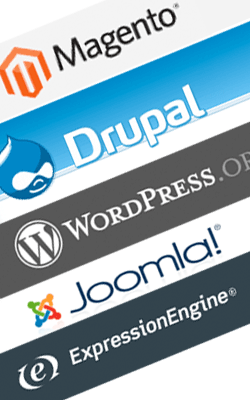
Next time you have a new project, consider the different ways content will be added and adjusted in the site, and do some research on some new systems that you're not too familiar with. ExpressionEngine is one of our favorites (it's both extremely flexible and powerful and it's easy to integrate, too!), but you may want to look into Magento for a powerful ecommerce store, Drupal, WordPress, Joomla, or any number of the other systems out there.
You may also want to consider excluding a CMS entirely. Some simpler websites that don't require a lot of updating may be better suited to HTML with PHP includes so that you don't have to edit the header, footer, and sidebar ten times after every change.
Often enough, designers choose a CMS and stick with it. It's understandable too. Every CMS has its own template system and plug-ins to discover and figure out.
While WordPress if often the CMS of choice these days, there are tons of other CMS out there, and choosing the right CMS can drastically improve your integration time as well as make it easier for your clients to navigate their content.
Next time you have a new project, consider the different ways content will be added and adjusted in the site, and do some research on some new systems that you're not too familiar with. ExpressionEngine is one of our favorites (it's both extremely flexible and powerful and it's easy to integrate, too!), but you may want to look into Magento for a powerful ecommerce store, Drupal, WordPress, Joomla, or any number of the other systems out there.
You may also want to consider excluding a CMS entirely. Some simpler websites that don't require a lot of updating may be better suited to HTML with PHP includes so that you don't have to edit the header, footer, and sidebar ten times after every change.
Pros
Learning a new content management system will drastically improve your knowledge in areas you may not be very familiar with. In addition, by considering the content carefully, you'll choose a content management system that's better suited to the site and allows for easier editing and perhaps more features.
You may also increase your client base if you pick up a content management system that is in high-demand or a new CMS where you could become one of the early experts.
Cons
It's going to take time to get to know the new template system and figure out exactly how powerful the CMS is and what it can do. Of course, it will be quicker to read some reviews on each CMS you're considering and maybe even speaking with a colleague who's familiar with the system before diving into the system itself.
Sometimes, the best CMS for your project isn't open source. I list this as a con, but only after much debate. While there may be an up-front cost to these systems, they're often better developed with less bugs and more support. Be sure to check out whether or not the CMS you're choosing has a forum of developers who are actively discussing any challenges they run into. And you always want to make sure that the CMS is releasing new versions on a regular basis and addressing any bugs or security issues that pop up.
Tips
- It's probably a good idea to check with your client about whether or not they have a CMS preference. If they don't have a preference, ask them what they're looking for in their backend. Do they absolutely need a perfect WYSIWYG editor or are they alright working with some basic HTML? Do they expect a certain CMS, like WordPress? And if so, would they be willing to check out the backend of another CMS that may work better for their site?
- Always check out how difficult the template system is. While WordPress has a pretty easy template system, ExpressionEngine is even easier, where as Magento's system is not for the faint of heart.
3. Become an Integration Wizard — Get Organized
After your site is designed and coded, you still need to make it editable within a CMS (unless you've decided to forgo the CMS and use PHP includes instead). Organizing your materials ahead of time and creating some personal SOPs will really help speed up your site integration time. To become an integration ninja, it's important to fully understand the integration process for your CMS and have everything in order before you set it up. I have a quick 10 step to do list for all of the CMS's I work with, and it really helps stay on track. It also prevents me from having to back peddle, which can sometimes happen if certain steps depend on others to be completed. The biggest thing you'll need to have organized is the content. I'm sure everyone's experienced the awkward situation of being completely ready to add content to the site and make it live, but your client just hasn't gotten all of the copywriting together or they're trying to get the last few photos of their office together. You're stuck waiting on last minute content pieces (and usually the final payment as well). While you can't have total control of when your client delivers the site content, you can help smooth this process along at the very beginning of a project. Usually, I work with the client during the design process to figure out exactly how many pages they need and all of the different pages that still require copywriting or photos or any other elements. When it looks like they've finalized the content plan, I'll send then an email listing all of the different pages and what they need to deliver. I also kindly remind them that their site may be held up until they can deliver all of the content.
Pros
Organization and planning before integrating your site into a CMS can save you a ton of time! There's nothing more frustrating than being in the middle of a task and realizing you can't complete the task until you resolve another issue. You waste a ton of time back tracking.
Another fantastic side effect to being more organized is that your clients will really appreciate your communication and professionalism. It's important to consider how you're handling your clients, even when they may be the ones who aren't providing information in a timely matter. By organizing their tasks and needed elements beforehand, you'll smooth all communication with them throughout the entire project.
Cons
The only downside to becoming more organized when you're integrating a website is that it takes some patience. I know how tempting it is to throw the HTML in there right away, but taking some time to get your ducks in a row will prevent you from making silly mistakes that cost you hours of problem solving.
It's also possible that no matter how well you've planned out your site integration, there may be some last minute requests from clients or problems you bump into that you couldn't have foreseen. It's okay! Just take a deep breathe and try to learn from these experiences in the future.
Tips
- Create a to do list for your website integration process and make sure it's in the proper order. Also include a list "needed items" in each step so that you can gather all of your elements together beforehand.
- Take notes throughout the design process on what content you will need for the final project, and send a list of needed items to your client as soon as you can (but definitely before you start the coding and integrating process).
- Do your research. If you're looking for a specific WordPress plug-in that works exactly so, or you're not sure how to integrate a specific JavaScript element, do some reading and research before digging into the code. (I'm especially horrible at this tip, and should really follow it better myself!).
- Take shortcuts! Use your experience from previous projects to anticipate what elements may take more time or might be a bit more stressful than others.
- Take notes! At the end of the project, write down your thoughts on the project and any specific challenges or lessons you've learned. For future projects, you can refer to these notes to save you time and frustration.
Comments