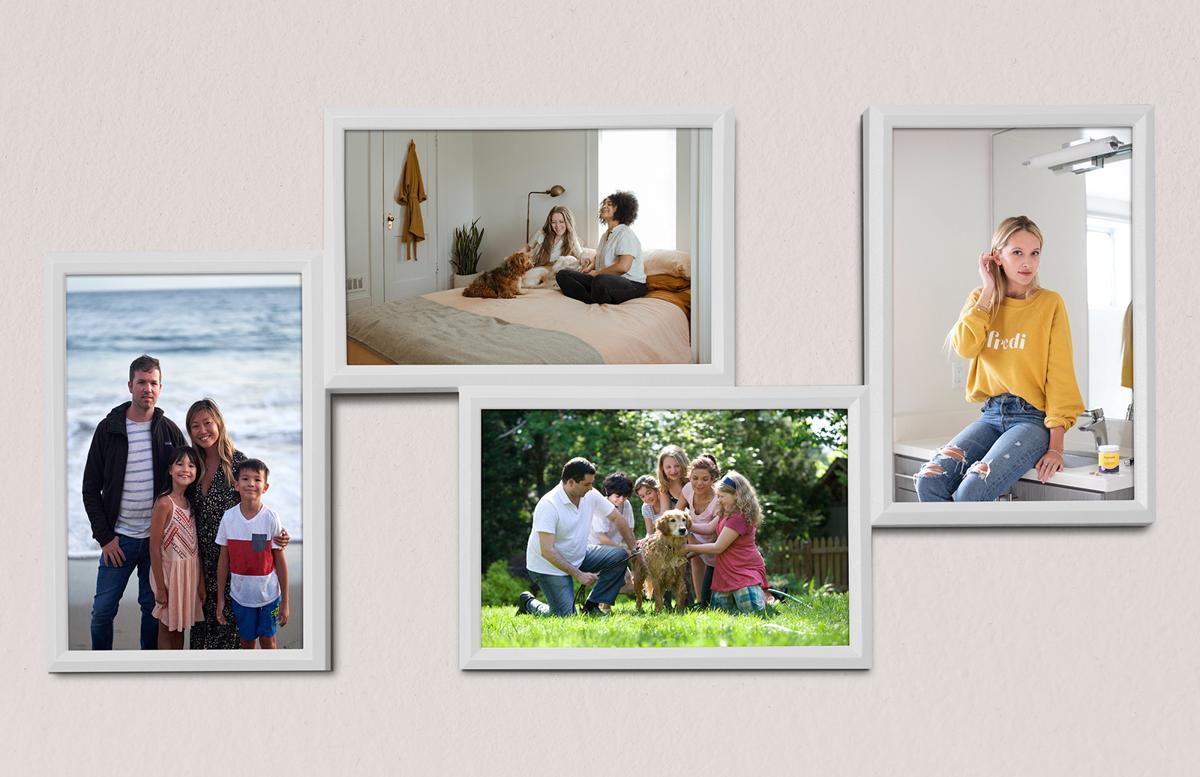


This photo collage mockup is ideal for showcasing family photo photos, it features 2 portrait and two landscape frames. Each photo is 3000 x 4500 pixels for the portrait images, and 4500 x 3000 pixels for the landscape images. This mockup is photo realistic and a perfect way of showcasing your most treasured mockups.
The frame itself can currently be purchased from IKEA (2021) if you want to bring the mockup into real life.
The .psd file is layered and organized with color labelling, easy to understand names, and simple structure. We always put effort into making our graphic design resources as easy to use as possible.
How to update the design
- Open 'Photo Frame Collage Mockup.psd' in Photoshop 2020 or newer
- Right click on the red labelled [YOUR IMAGE HERE] layer and choose Edit Contents
- Update or replace the placeholder design with your own graphics
- Save and close the Smart Object
- Repeat for the other smart object
How to customize the mockup
- Double click on any of the the green labelled 'Change X Color' layer thumbnails
- Use the color picker to choose a new color
- Repeat for other green labelled 'Change X Color' layers
Paid License
By purchasing or downloading this item you are agreeing to abide by all terms and conditions laid out in the MediaLoot License Agreement. View the full license >
More from Mockups > Stationery & Paper


Newest Designs:


