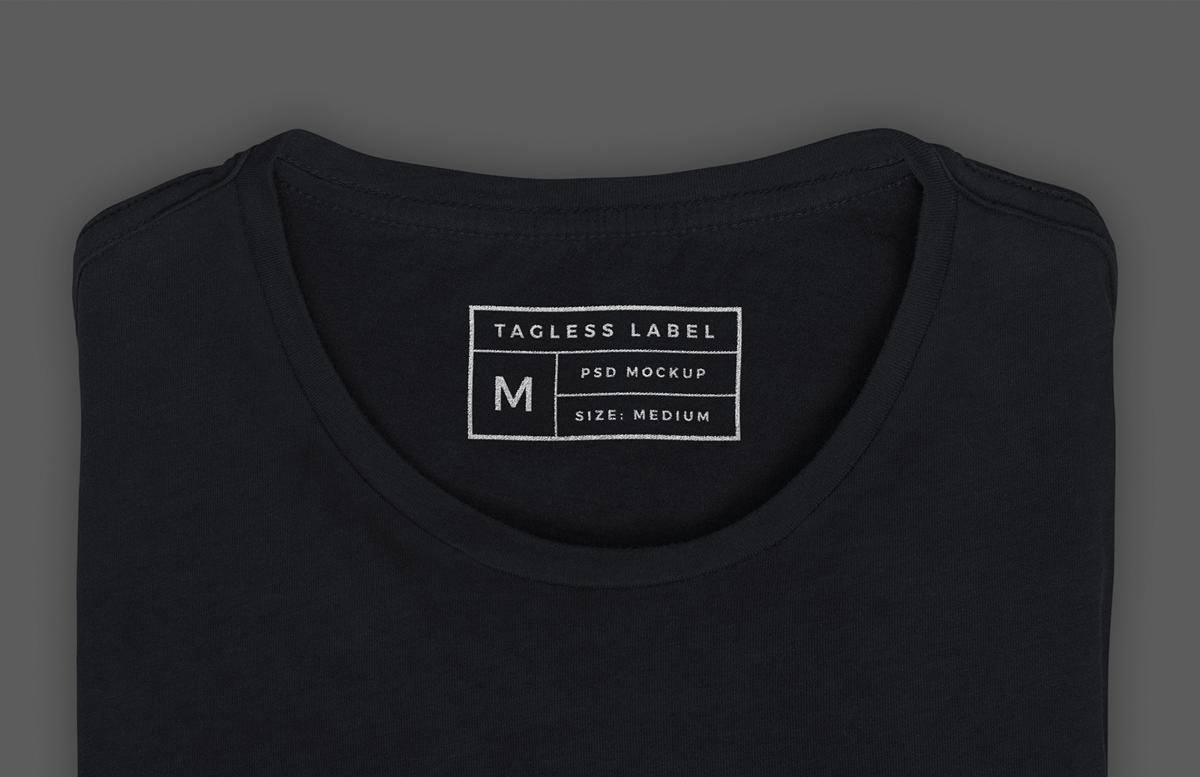


This mockup for Photoshop features a tagless regular fit cotton blend t shirt with inside label screen print design. This high quality shirt label mockup is perfect for anybody creating custom apparel brand designs.
When you download this package you will find a single .psd file for the mockup and a displacement map file. After you open the mockup in Photoshop you can replace the sample graphics on the t-shirt with your own custom design and change the color of the hoodie material to literally any shade you want.
How to update the design
- Open 'Tagless T-Shirt Inside Label Mockup.psd' in Photoshop CS6 or newer
- Double click on the Smart Object layer thumbnail (labelled 'Place design in here')
- Replace the placeholder artwork with your own graphics
- Save and close the Smart Object
How to change the t-shirt color
- Open 'Folded T-Shirt Mockup' in Photoshop CS6 or newer
- Turn off visibility for the Adjustment Layer called 'Black'
- Turn on visibility and select the Adjustment Layer labelled 'Custom Color'
- Open the Properties window and adjust the Hue and Saturation sliders
Note on Displacement Maps
If you get an error when updating the smart object, or if the design is not conforming to the texture of the t-shirt, you probably need to tell Photoshop where the displacement file is located. Expand the fx dropdown on the T-Shirt smart object layer, double click on Displace and click OK, then open the displacement map file included with the download.
Paid License
By purchasing or downloading this item you are agreeing to abide by all terms and conditions laid out in the MediaLoot License Agreement. View the full license >
More from Mockups > Fashion & Apparel


Newest Designs:


