

How to Make a Backlit Text Effect in Illustrator
Creating a backlit text effect in Illustrator may seem like something better suited for Photoshop—but thanks to Illustrator’s 3D and Materials panel, achieving this look is surprisingly simple. In this tutorial, you’ll learn how to make your text appear as if it’s illum...Read more

Create a Circular Mosaic Photo Effect in Illustrator
Creating stylized photo effects in Illustrator doesn't always require complex techniques or heavy image editing. Sometimes, the most eye-catching results come from simple tools used creatively. In this tutorial, you'll learn how to transform any image into a circular mo...Read more
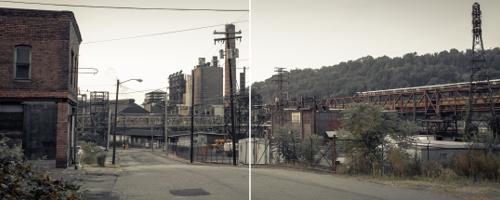
Quickly Remove Wires and Cables From Your Photos Using Photoshop
Removing distracting wires and cables from your photos can make a significant difference in their overall appearance. Over the years, Photoshop has introduced increasingly powerful tools to streamline this process. In earlier versions of Photoshop, removing wires requir...Read more

How to Easily Crop and Export Images in Circles in Photoshop
When you want to crop an image into a circular shape in Photoshop and save it as a PNG on your computer for use in your designs, you usually make a circular selection, then invert it, delete the selection, resize the file, and only then export it as a PNG. Alternatively...Read more

How to Offset a Text Stroke in Illustrator in a Non Destructive Way
Sometimes, you need to have a full stroke around a text, but in a way where that stroke is set away from the text itself with a visible gap in between. By using the Appearance Panel, you can easily offset the stroke, but you will get a stroke around each separated lette...Read more

How to Easily Warp Text Into any Shape in Illustrator
In Illustrator, there are countless ways to warp a text into a shape — but they're not all created equal. Some methods simply don't give you good control over your text, others require you to convert your text to curves so you can no longer edit it. Don't worry, today I...Read more
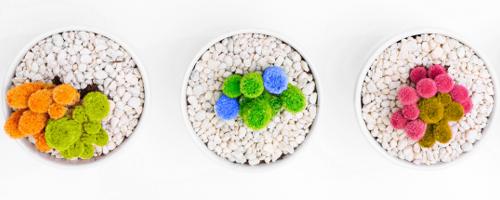
How to Quickly Replace a Color on an Image in Photoshop
Obviously, there's more than one way to make pretty much anything in Photoshop, and the ways to replace a color on an image are so myriad it's almost funny. Besides replacing colors using traditional methods like adding a color layer and masking an area or playing with ...Read more

How to Use a Snow Brush in Photoshop — Add a Snowy Texture Overlay to a Photo
There are so many ways to achieve any particular effect in Photoshop. Adding snow to a picture is no exception. From using pre-made textures to making a custom snow effect from scratch with filters to just using brushes, the (cloudy) sky is the limit. ...Read more